
This is an old revision of the document!
Table of Contents

Here you will find all the important information about the MagLab Formicarium system. From the basic setup to the required 3D-printed parts to the placement of the magnets. In addition, typical questions are answered and practical tips for setup, use, and expansion are provided.
You can find this project at Makerworld. MagLab Formicarium - A magnetic modular ant nest
The documentation is currently under construction. The MagLab Formicarium documentation will be published here step by step.
The basic parts
The MagLab Formicarium has basic parts that can all be connected to each other. This makes it possible to create endless possibilities with relatively few parts. You can find all the parts below. To enlarge the images, simply click on them.
| Picture | Description |
|---|---|
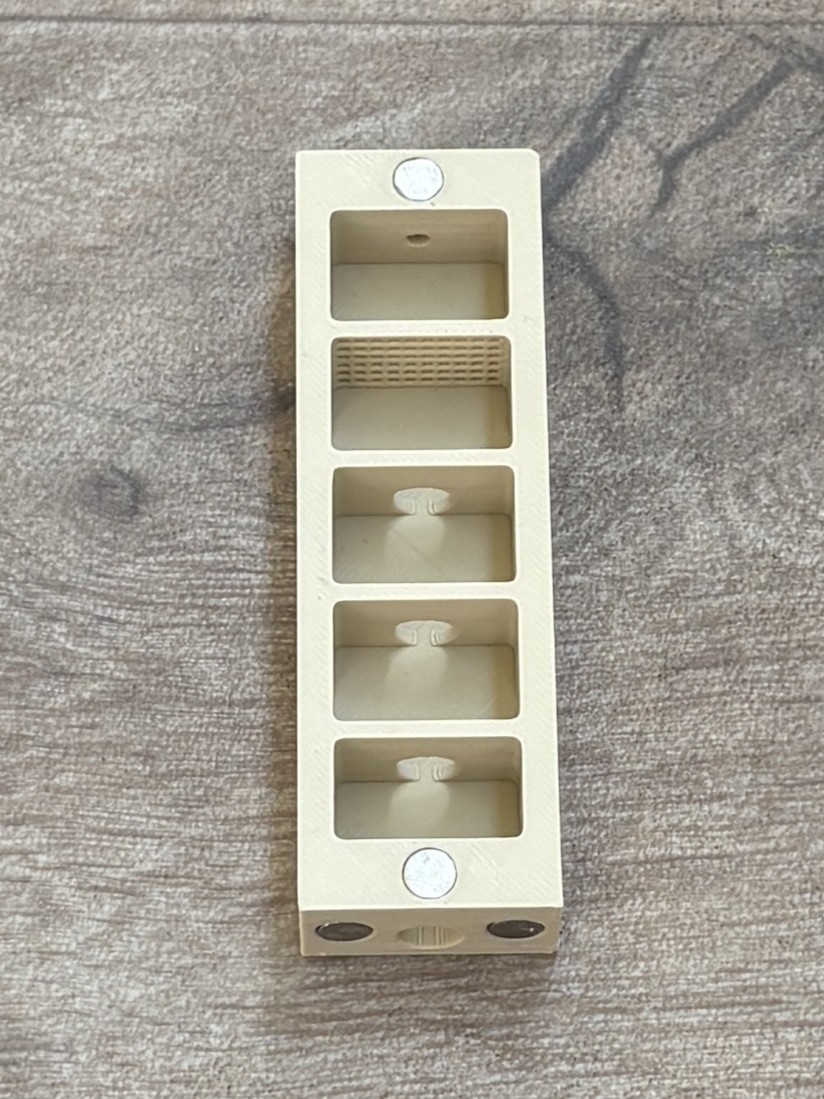 | The nest is the central living space of the ant colony. This is where the queen lives and where the ants care for their brood, including eggs, larvae and pupae. The system uses a modular nest design that can be expanded with additional printed nest modules as the colony grows. If you do not want to expand the nest further, the side connections can simply be closed using the small stoppers. The nest must be kept slightly moist. To achieve this, the rear chamber is filled with cotton wool which acts as a small water reservoir. A 2 mm hole on the opposite side allows you to moisten the cotton without opening the nest. |
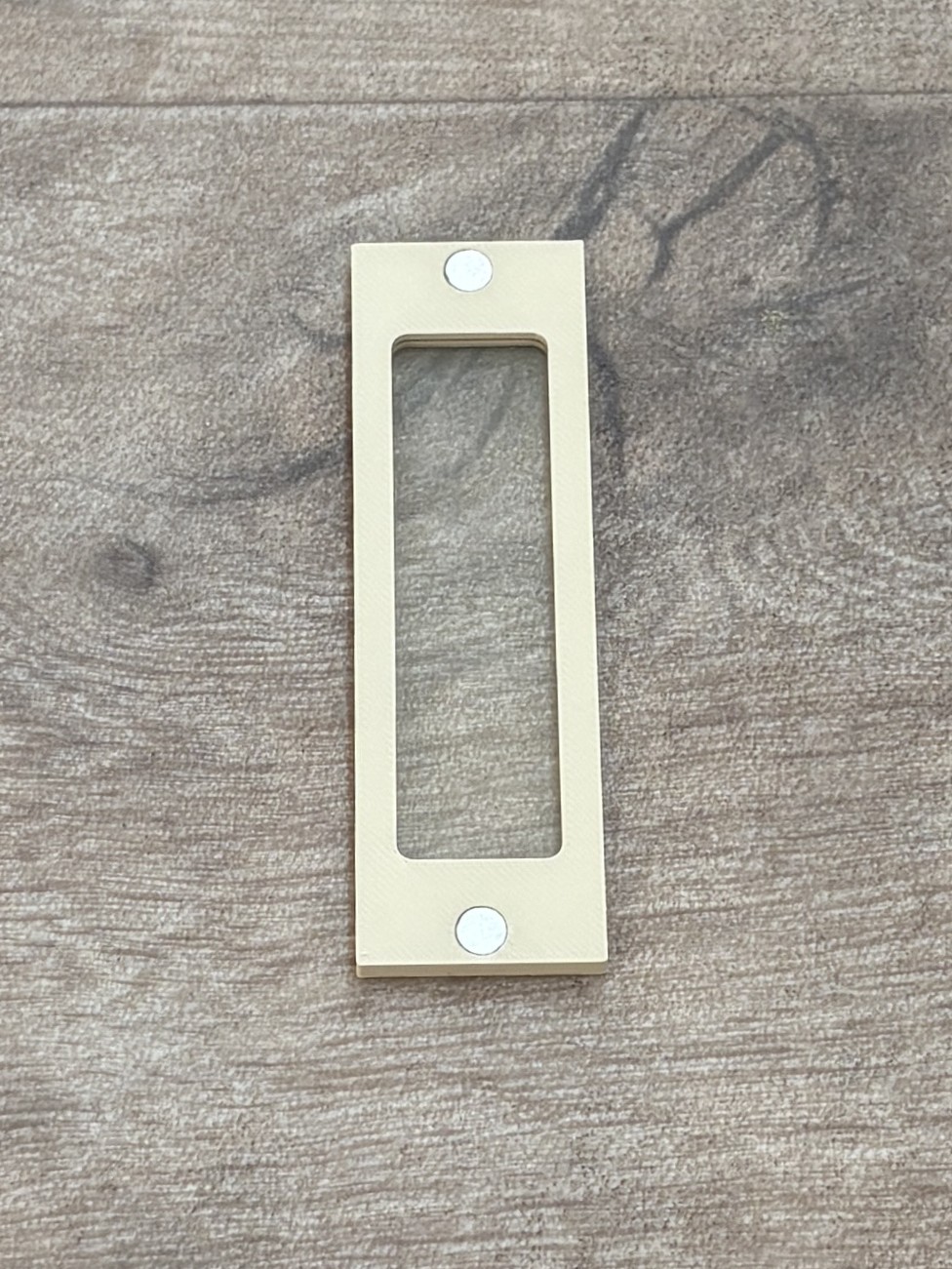 | The nest lid is designed to allow clear observation of the colony inside the nest. A microscope slide is embedded into the lid, creating a transparent window that lets you watch the ants and their brood without disturbing the colony. The glass slide is inserted during the printing process and becomes embedded directly into the lid. This makes the window stable, secure and escape-proof. For more information about how the glass slides are inserted during printing, see the section “Insert the microscope slides into the lids” below. |
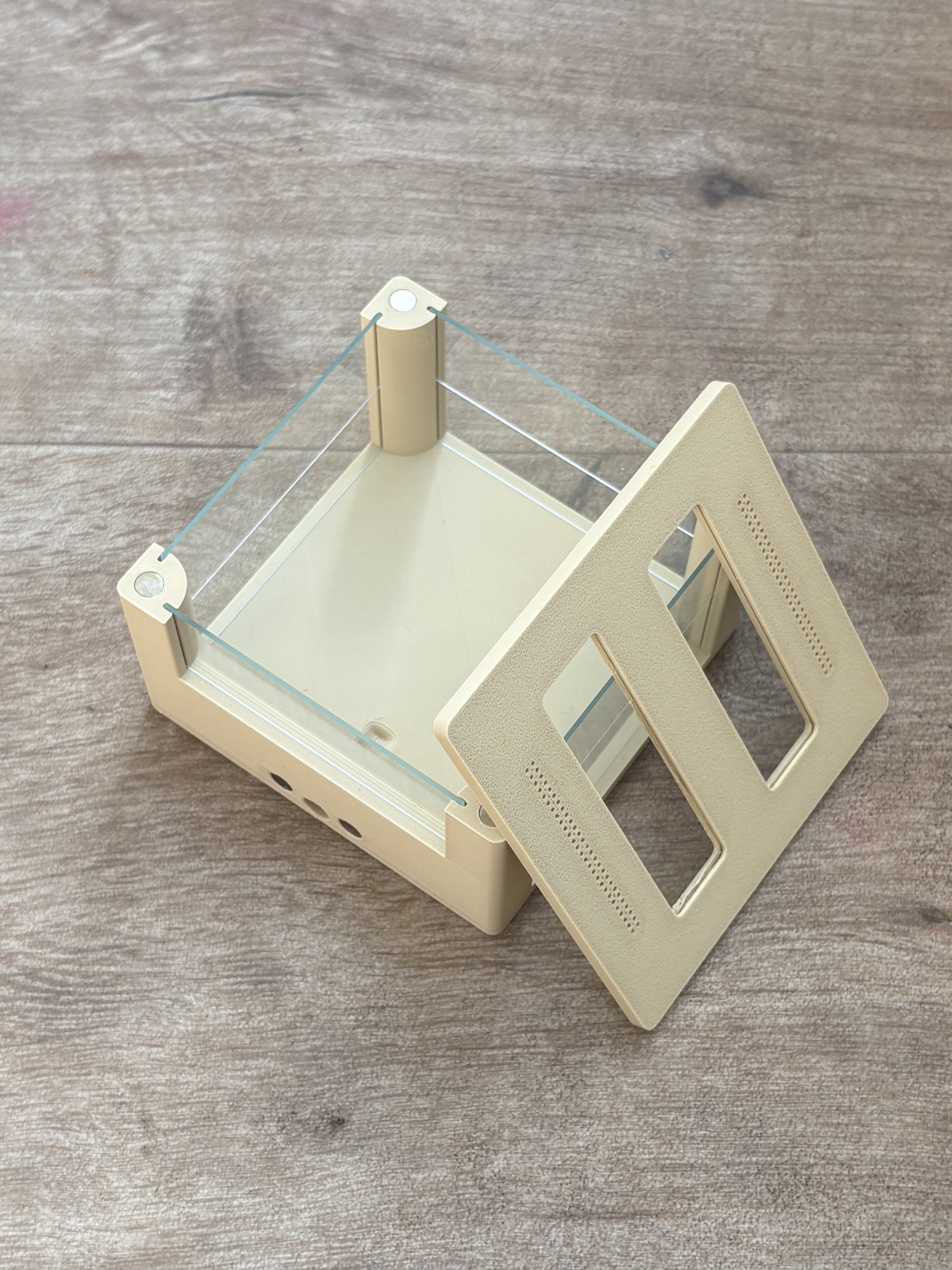 | The arena is the area of the ant farm where the ants leave the nest and interact with their environment. This is where they search for food, explore their surroundings and transport resources back to the nest. Food and water are usually placed inside the arena so the ants can collect them and bring them to the colony. The arena also serves as a space where ants can move freely and display their natural behavior. In many cases ants will also deposit waste or food remains in the arena, which helps keep the nest clean. |
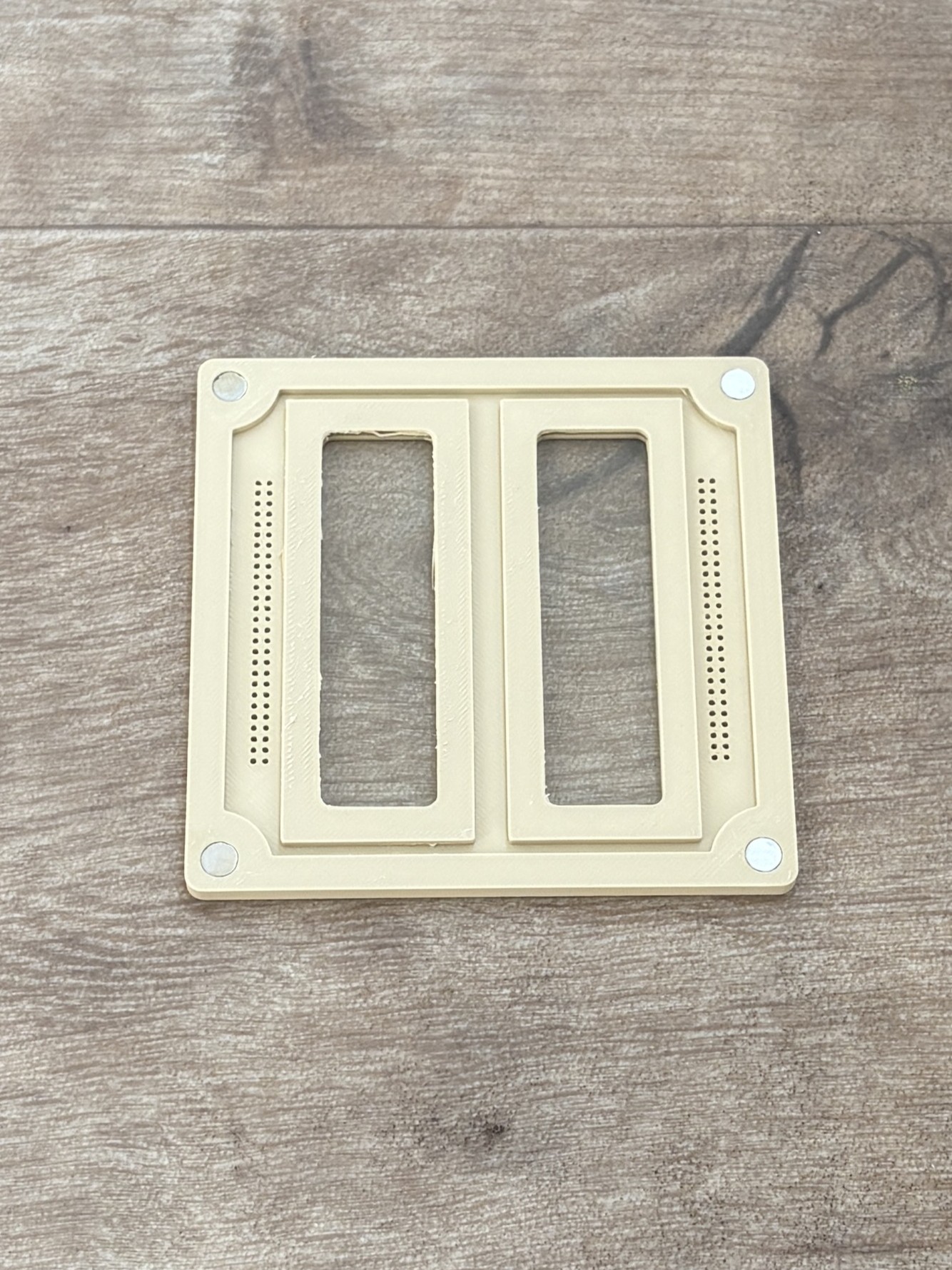 | The arena lid is designed to allow clear observation of the ants inside the arena. A microscope slide is embedded into the lid, creating a transparent window so you can watch the ants while they explore, search for food and interact with their environment. The glass slide is inserted during the printing process and becomes embedded directly into the lid. This makes the window stable, secure and escape-proof. The arena lid also includes integrated ventilation holes which provide proper airflow inside the arena. For more information about how the glass slides are inserted during printing, see the section “Insert the microscope slides into the lids” below. |
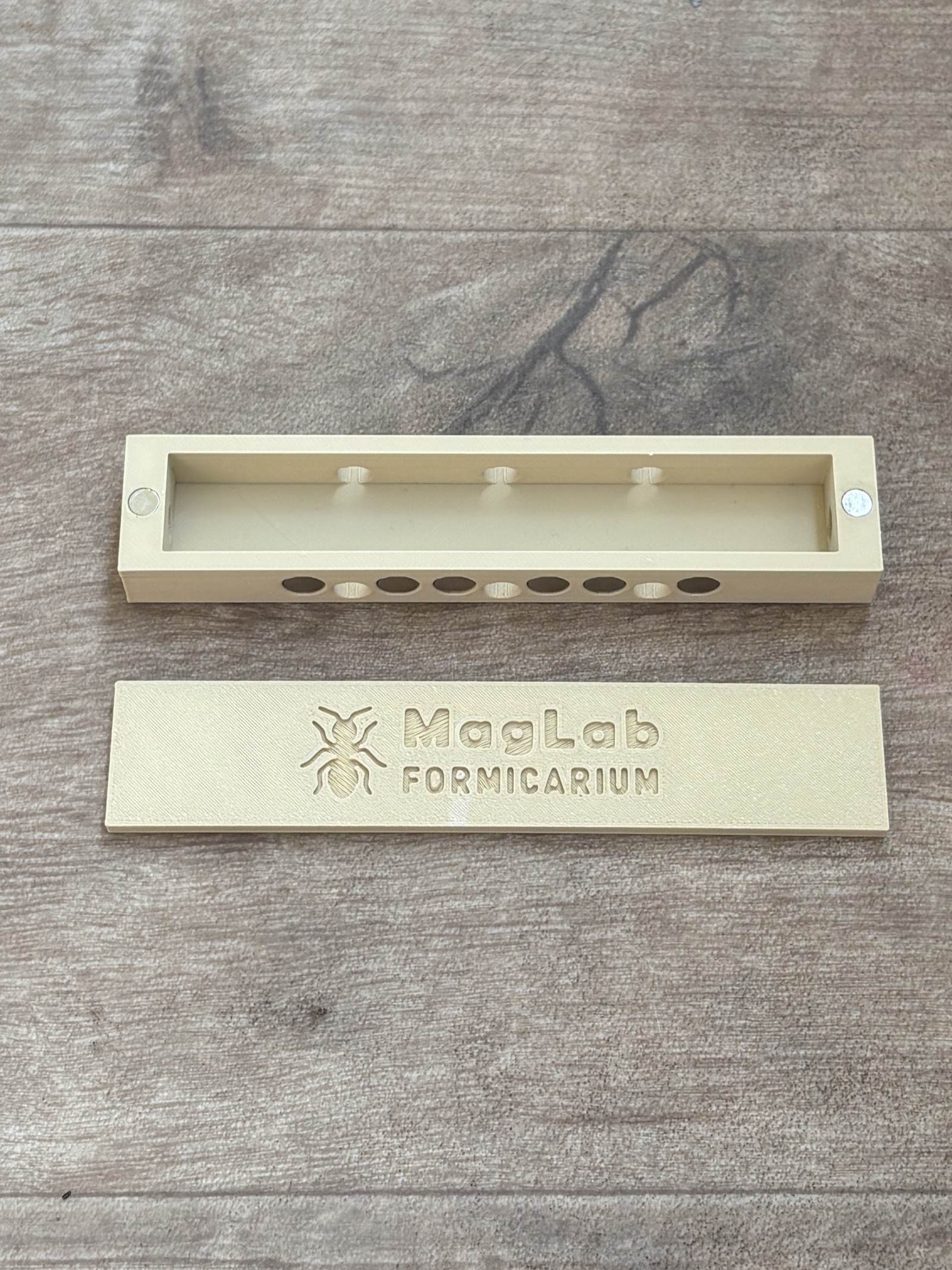 | The MagLab Hub is the central connection element of the system. It allows you to connect nests, arenas and other modules together. All elements can be attached to the hub, making it easy to expand or rearrange the setup at any time. This makes the system flexible and modular as the colony grows. The hub acts as the main junction that links all parts of the ant farm and keeps the entire system connected. |
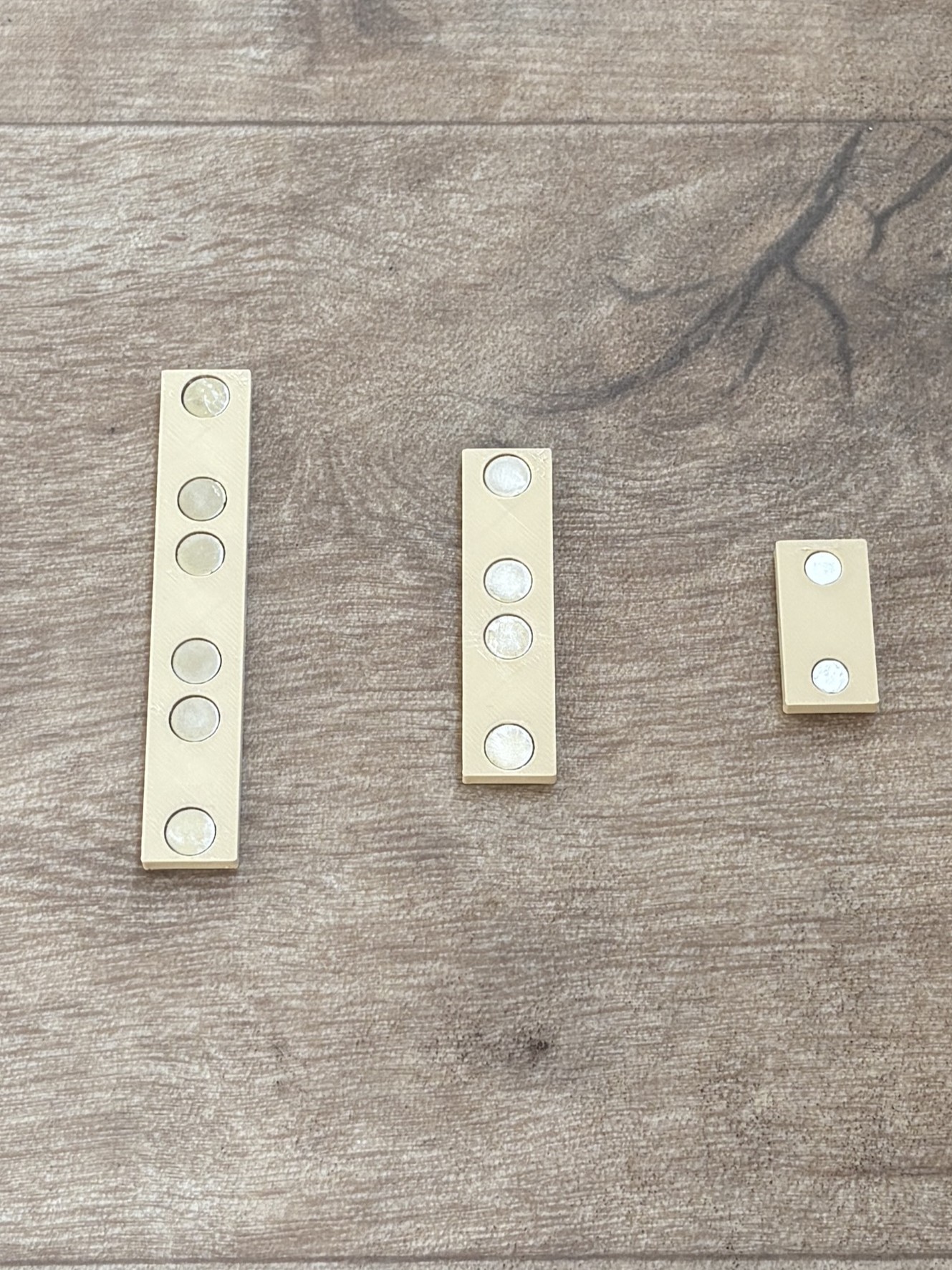 | Stoppers are simple closing pieces used to seal unused openings in the system. They are placed on connectors where no module is attached. They can be used to close tunnels, connection ports or the small water opening on the back of the nest. This keeps the system sealed and prevents ants from escaping. There are three different types of stoppers in the system. The smallest stopper is used to close the side openings of the modular nests. The medium and larger stoppers are used to close the rear openings of the nests where the water ports are located. In general, every open connection that is not currently in use should be closed with a stopper. |
Print the parts
Before printing the parts it is important to make sure that your printer is properly calibrated. This project uses fairly tight tolerances, so correct printer calibration and properly calibrated filament profiles are essential for a good fit.
All parts shown in the images were printed using a 0.4 mm nozzle. However, some users may prefer using a 0.2 mm nozzle for higher detail or slightly more precise tolerances. That said, printing with a 0.4 mm nozzle works perfectly fine and was used for the entire project.
No supports are required for any of the parts. All components were designed to be printed easily while maintaining accurate tolerances.
To make printing even easier, a ready-to-use print profile is provided. You can open it directly from MakerWorld by clicking “Open in Bambu Studio”. The print file is already configured, so you can simply load it and start printing.
Insert the microscope slides into the lids
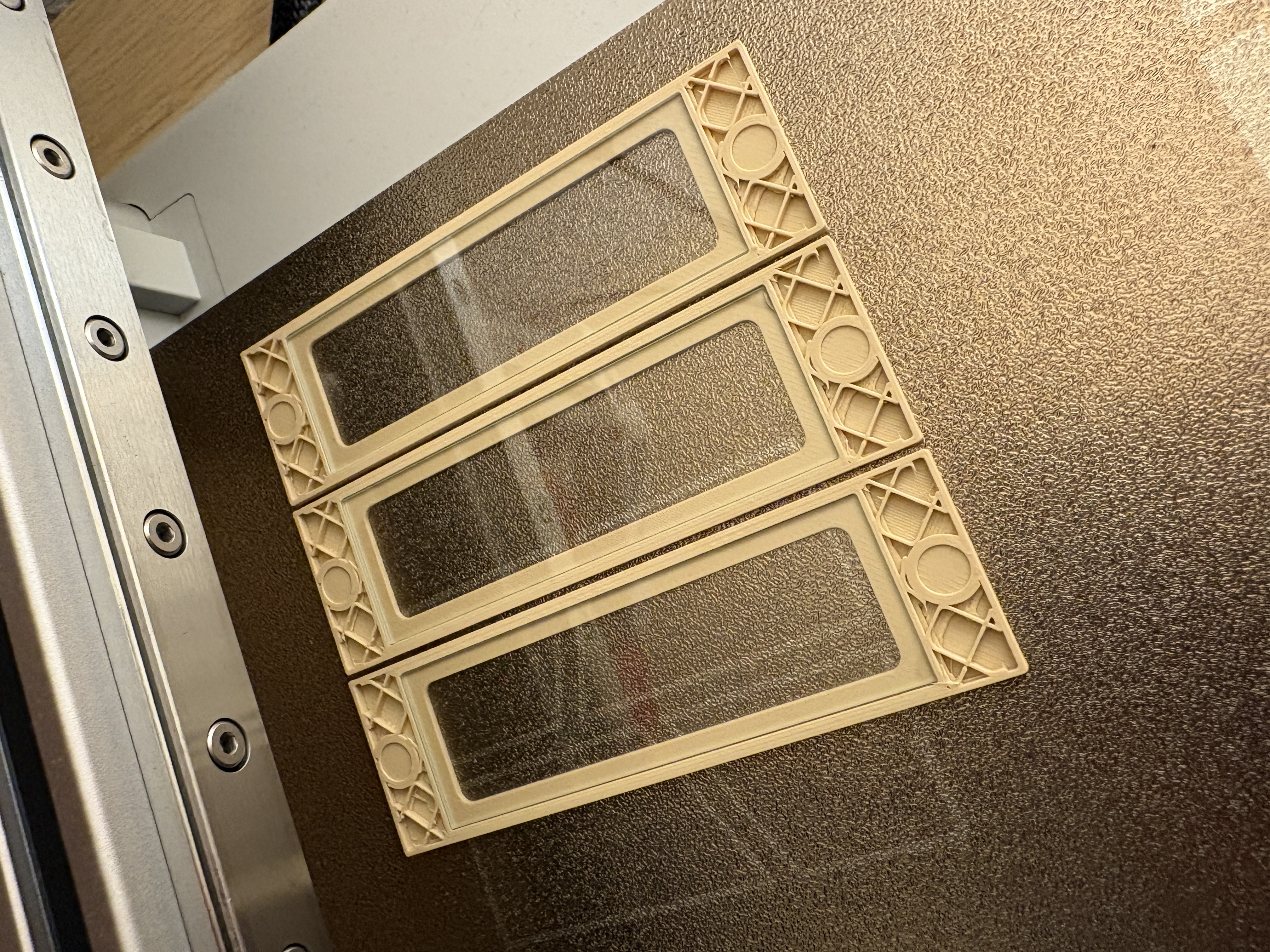
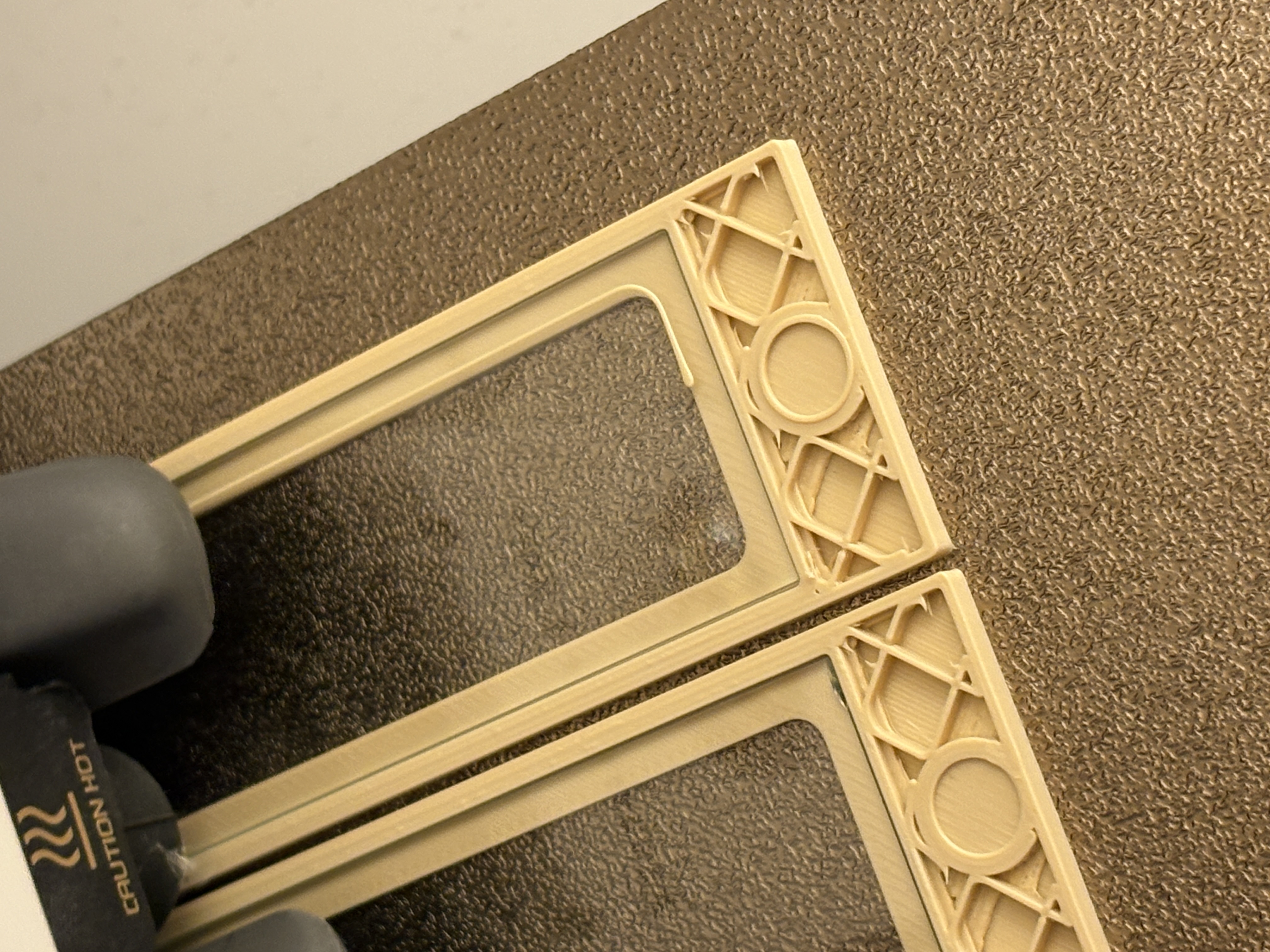
The microscope glass slides are inserted during the printing process. This means they become embedded directly into the printed lid, making the window very stable and escape-proof.
What may sound complicated is actually very simple. The print profiles are configured so that the printer automatically pauses during the print. At this moment the print head moves to the side, allowing you to easily place the microscope slides into the small recesses in the lid.
After inserting the glass, simply press resume on the printer. The printer will continue printing and seal the slides into the lid by printing the remaining layers over the edges of the glass.
The pause happens automatically at layer 11, so you do not need to configure anything manually. Just make sure your printer tolerances are properly calibrated so the glass fits correctly.
Assemble the formicarium
The assembly of the formicarium is quite simple. The most important thing to check is the polarity of the magnets. Make sure that all magnets are inserted with the correct orientation so they attract each other instead of repelling.
To make this much easier, I highly recommend using the magnet alignment tool I created. With this tool you can insert the magnets in the correct orientation every time, ensuring that all modules connect properly. You can find the tool here: https://makerworld.com/de/models/2491263-magnet-pole-checker#profileId-2737610
During assembly, make sure that all unused tunnels or connection ports are closed with stoppers. This prevents escape routes and keeps the system properly sealed.
Inside each nest, the rear chamber must be filled with cotton wool. This chamber acts as the water reservoir used to maintain the humidity inside the nest.
To assemble the arena, microscope glass slides are inserted into the vertical guide slots located in the corner pillars of the arena. These slots hold the glass panels that form the walls of the arena.
For the small arena, use two glass slides on each side and one on the back. For the large arena, use three glass slides on each side and two on the back.
If you would like to see the full assembly process step by step, you can also watch the assembly video, which demonstrates the setup in detail and may help clarify the process.
Keep the nests moist
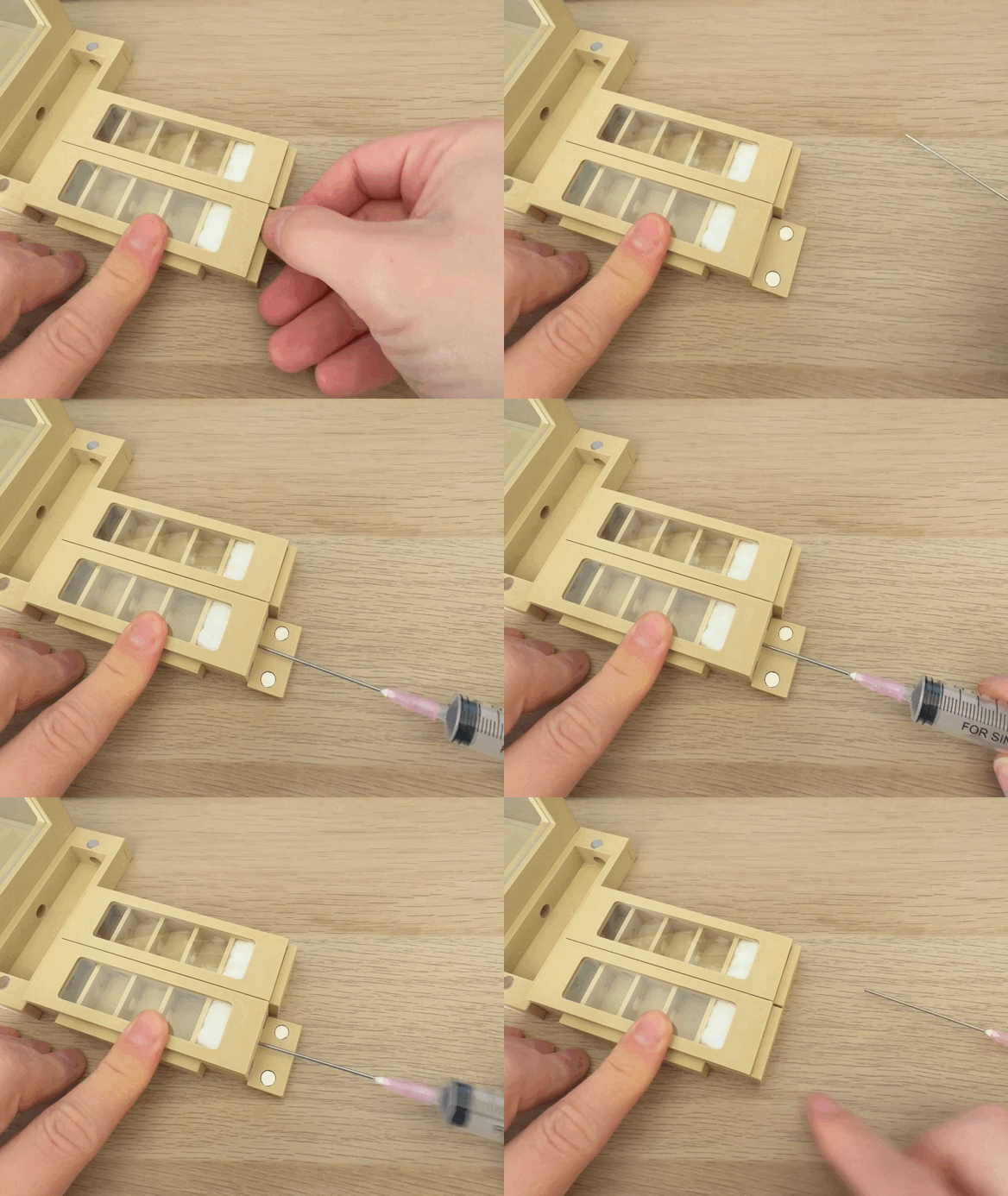
This is a GIF file. Click on it to play it.
As shown in the image, the rear chamber of the nest must be filled with cotton wool. This cotton acts as a small water reservoir that provides the humidity required inside the nest.
To moisten the nest, simply remove the stopper on the back and carefully add water using a syringe through the small opening. Once the cotton is moist, place the stopper back onto the opening to keep the system sealed and escape-proof.
Humidity inside the nest is important for many ant species, especially for healthy brood development. However, the required moisture level depends on the species you are keeping, so always check the needs of your ants.
The water inside the nest is not meant as a drinking source. Drinking water should always be provided separately using a dedicated water module in the arena.
Frequently Asked Questions
Are there any more parts coming for the project?
Yes, definitely. The project is far from finished. The goal is to create the largest project in this category that you can find on Makerworld. So stay tuned!